

Free QR Code Reader & Decoder
Upload a QR code image, or use your camera, and see exactly what is inside it — decoded, identified and labelled field by field, without opening anything.
- Free, no sign-up
- Runs in your browser
Drop a QR code image here, or choose a file
What this tool does
A phone camera decodes a code and immediately offers to act on it, which is the wrong order if you do not already trust it. This reads the code and shows you the contents instead: the kind of payload it is, every field it carries, and nothing opened on your behalf.
At a glance
| Reads | A QR image you upload — PNG, JPG, WebP or SVG — or a live camera feed |
|---|---|
| Gives you | The raw payload plus a field-by-field breakdown of what it means |
| Where it runs | In your browser. The image is never uploaded anywhere |
| Cost | Free, no limits on how many you make |
| Sign-up | None. No account, no email address |
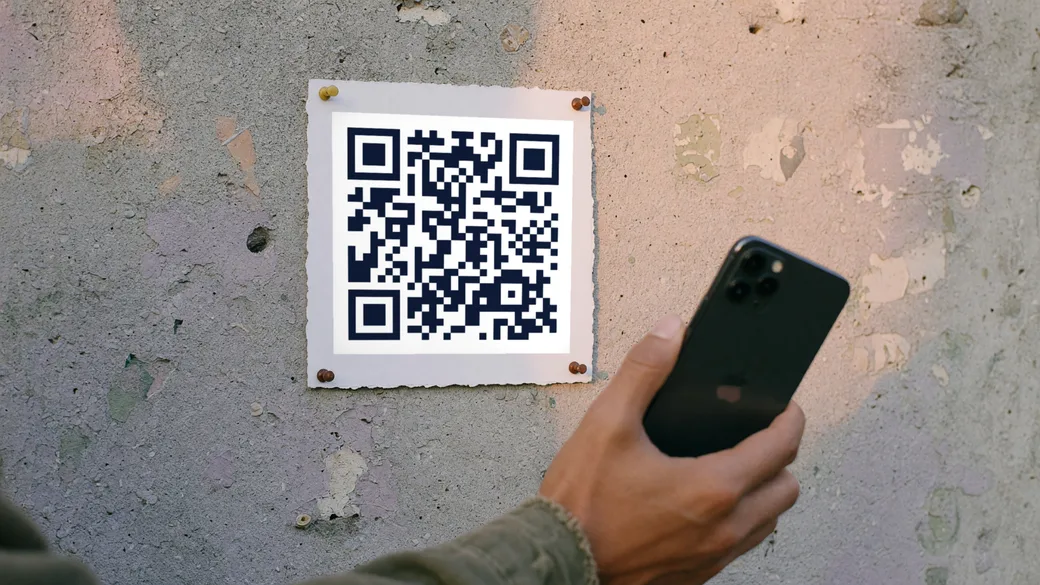
How it works
Give it the code
Drop in a photo or a screenshot of the QR code, or start the camera and hold the code in front of it.
Read what it actually contains
The raw decoded text is shown, and above it the payload is identified and broken into named fields — network name, phone number, event date, whatever it holds.
Decide for yourself
Copy the text, or send a decoded link to the safety checker before you open it. Nothing is opened, followed or fetched by this page.
Good to know
- The image never leaves your device. Decoding happens in the browser, so a screenshot of a private code is not uploaded anywhere.
- It reads QR codes only — not barcodes, Data Matrix or Aztec, which are different symbologies with different decoders.
- A blurred, angled or partly covered photo may not decode. Crop tightly around the code and make sure its white border is included; that border is part of the code.
- It identifies WiFi, contact cards, calendar events, SMS, email, phone, location, crypto and plain links, and falls back to showing raw text for anything else.
Need an editable, trackable QR?
A dynamic Qrindo code keeps the same printed image but lets you re-point it any time and tracks every scan, geo, device, and live.
Frequently asked questions
Can I read a QR code from a screenshot?
Yes, and it is the most reliable input there is — a screenshot has no blur, no angle and no glare. Include the light border around the code, because a decoder uses it to find the symbol.
Does this page upload my image?
No. There is no upload and no server call in the decode path; the picture is read into a canvas in your own browser and decoded there. You can verify it by loading the page and then going offline.
Why does my photo fail to decode?
Usually one of four things: the quiet border is cropped off, the photo is at too steep an angle, there is glare across the finder squares, or the code is damaged. Re-shoot square-on with even light before assuming the code is bad.
Can I decode a QR code without scanning it with a phone?
Yes — that is what this page is for. Upload a screenshot or a photo of the code and it decodes in the browser, showing the exact payload without opening anything. It is the safe way to inspect a code you do not trust.
Why does my image fail to decode?
Usually the crop or the angle. The decoder needs all three corner squares and a margin of blank space around them. A photo taken at a slant, a code with something printed over it, or a heavy JPEG re-save will all defeat it.
Does the decoded content get sent to your servers?
No. Decoding happens entirely in your browser and neither the image nor the result leaves the page. There is no upload endpoint here to send it to.
Still not sure about something? Read the full FAQ →
More free QR tools
QR safety check
Check a QR code before you open it. Decode the link and see whether it uses the tricks behind QR phishing — lookalike domains, hidden credentials, IP hosts and disguised downloads.
Free toolSize calculator
How big should a QR code be? Work out the printed size from the distance it will be scanned at, in millimetres or inches, and see the quiet zone it needs around it.
Free toolPrint checker
Grade a QR design before it goes to press. Checks module-to-background contrast, physical module size, quiet zone and resolution, and says plainly what will fail.
Free toolColour converter
Convert a brand colour between HEX, RGB and CMYK, with the ink coverage a press will see and a verdict on whether the colour is dark enough to build a QR code from.
Free toolUTM builder
Build a properly tagged campaign URL and turn it into a QR code in the same step, so a printed code shows up in your analytics as something other than direct traffic.
Free QR generatorQR generator
Create a free, high-resolution QR code for any link in seconds. Style it with your colours, shapes and logo, then download PNG or SVG. No sign-up, no watermark.
Free QR generatorWiFi QR
Let guests join your WiFi with one scan instead of typing a password. Generate a free WiFi QR code and print it for a café, an office, or a spare room.
GuideDynamic vs static
The full guide to the difference between a code you can change and one you cannot.