

QR Code Print Preflight Checker
Grade a QR design before it goes to press. Checks module-to-background contrast, physical module size, quiet zone and resolution, and says plainly what will fail.
- Free, no sign-up
- Runs in your browser
Result
What this tool does
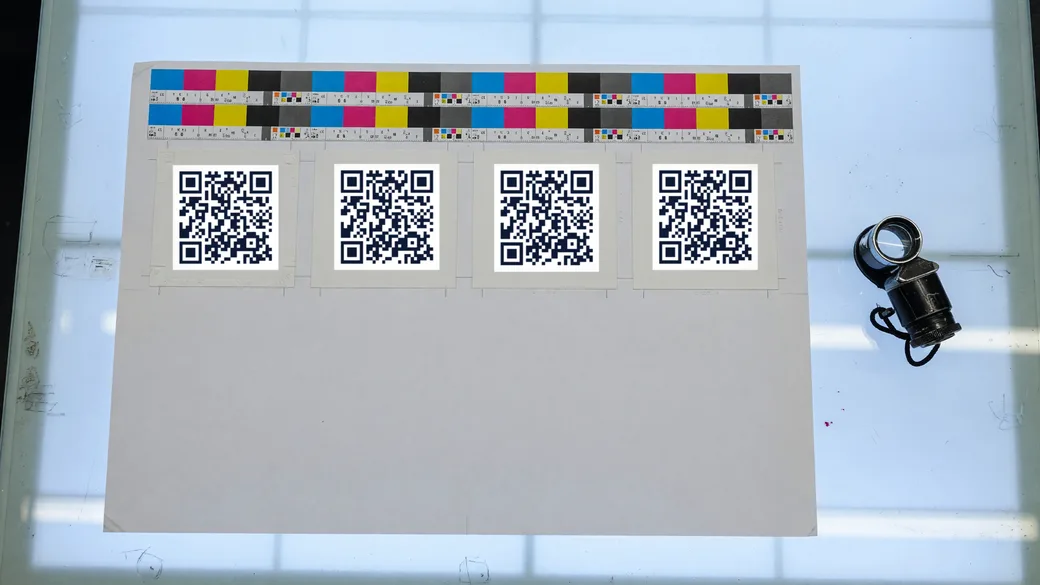
These are the same four checks our own print export runs before it will call a file print-ready, at the same thresholds. A print run cannot be fixed after the fact, which is why they are worth running on somebody else’s artwork too.
At a glance
| Grades | Printed size against scan distance, module size in millimetres, foreground-to-background contrast, and export resolution |
|---|---|
| Thresholds | 0.5 mm module is healthy and 0.4 mm is the floor; 4.5:1 contrast passes and 3:1 is risky; 300 PPI for professional print |
| Same rules as the product | These are the thresholds our own print export grades against, not a separate opinion |
| Cost | Free, no limits on how many you make |
| Sign-up | None. No account, no email address |
How it works
Describe the design
Set the module colour and the background colour, the content you are encoding, the finished printed size, and the resolution you are exporting at.
Read the four verdicts
Contrast ratio, physical module size, required quiet zone, and export resolution — each graded, each with the threshold it was measured against.
Fix the blocking ones
Anything marked blocking will not survive a press. Usually the fix is a darker module colour, a shorter payload, or five more millimetres.
Good to know
- Contrast below 3:1 is refused by our own exporter, because no camera scanner reliably separates the modules from the background at that point.
- An inverted code — light modules on a dark ground — is flagged even when its contrast is excellent. A good number of decoders assume dark-on-light and simply fail on the inverse.
- Gradients are measured at their weakest stop, not their average. The scan has to work at the pale end too.
- Below 300 PPI, a file should not be described as print-ready. It may still print acceptably at large sizes, which is why this is stated rather than blocked.
Need an editable, trackable QR?
A dynamic Qrindo code keeps the same printed image but lets you re-point it any time and tracks every scan, geo, device, and live.
Frequently asked questions
What contrast does a QR code actually need?
Treat 7:1 as comfortable and 3:1 as the hard floor. That is stricter than the 4.5:1 used for readable text, because a scanner works from a camera frame that may be angled, glared or poorly lit rather than from a screen.
Can I print a QR code in my brand colour?
If it is dark enough against the background, yes. Many brand colours are not — a mid-tone teal or orange on white often lands between 3:1 and 4:1, which prints but leaves nothing in reserve for glare. Use the brand colour for the frame and a darker tone for the modules.
My code scans on screen but not on paper. Why?
A screen is backlit, perfectly flat and has no ink gain. Paper has all three problems, and they eat the same margin: thin contrast, small modules and a missing quiet zone each cost a little, and three small costs together are what tips a code over.
What resolution should a QR code be for printing?
Export at 300 PPI for anything a commercial printer handles. Below that the module edges soften and the scanner has to work harder; at 150 PPI a small code is already marginal. A vector SVG sidesteps the question entirely.
Is a light QR code on a dark background a problem?
Usually yes. The specification assumes dark modules on a light background, and while many modern scanners cope with the inversion, enough do not that an inverted code will quietly lose you scans. Keep dark on light for anything printed at volume.
What is the most common reason a printed QR fails?
Being printed too small for the distance it is read from — followed closely by no quiet zone, and by low contrast from a brand colour that looked fine on screen. All three are what this checker grades.
Still not sure about something? Read the full FAQ →
More free QR tools
QR reader
Upload a QR code image, or use your camera, and see exactly what is inside it — decoded, identified and labelled field by field, without opening anything.
Free toolQR safety check
Check a QR code before you open it. Decode the link and see whether it uses the tricks behind QR phishing — lookalike domains, hidden credentials, IP hosts and disguised downloads.
Free toolSize calculator
How big should a QR code be? Work out the printed size from the distance it will be scanned at, in millimetres or inches, and see the quiet zone it needs around it.
Free toolColour converter
Convert a brand colour between HEX, RGB and CMYK, with the ink coverage a press will see and a verdict on whether the colour is dark enough to build a QR code from.
Free toolUTM builder
Build a properly tagged campaign URL and turn it into a QR code in the same step, so a printed code shows up in your analytics as something other than direct traffic.
Free QR generatorQR generator
Create a free, high-resolution QR code for any link in seconds. Style it with your colours, shapes and logo, then download PNG or SVG. No sign-up, no watermark.
Free QR generatorWiFi QR
Let guests join your WiFi with one scan instead of typing a password. Generate a free WiFi QR code and print it for a café, an office, or a spare room.
GuideDynamic vs static
The full guide to the difference between a code you can change and one you cannot.